Mesh#
TE10 fills the model with tetrahedra (Netgen), and the solver refines that mesh where the field needs it (adaptive meshing, on by default). For most models you set nothing: the starting mesh follows the wavelength in each material, and the adaptive passes do the rest.
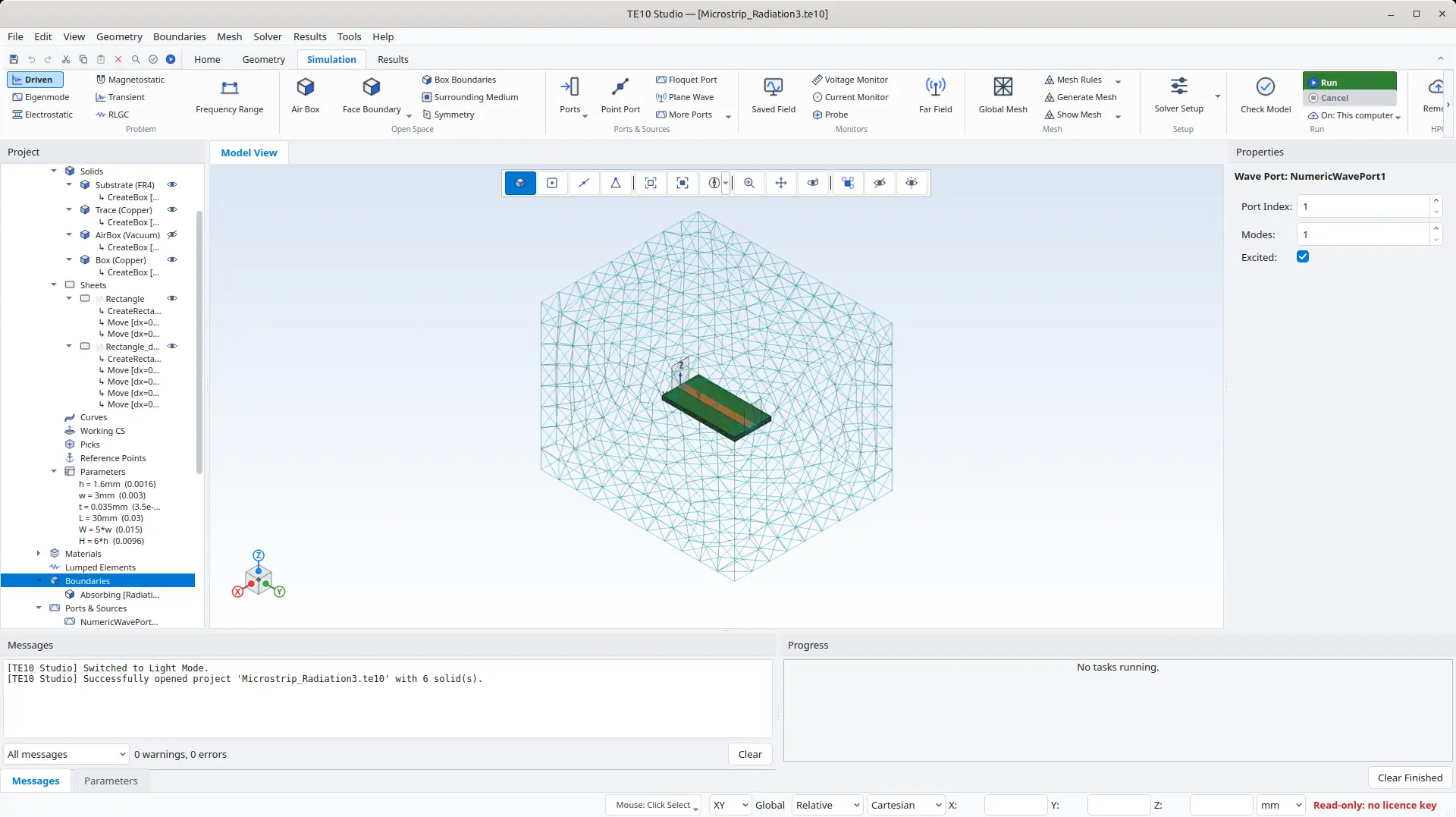
Looking at the mesh#
| Command (Mesh menu, or Simulation tab › Mesh) | Shows |
|---|---|
| Generate Mesh | Builds the starting mesh now (a solve does this anyway) |
| Show Mesh | The starting mesh in the 3D view |
| Show Final Solved Mesh (Palace) | The mesh after the adaptive passes of the last solve |
| Show Mesh of Selection | Only the selected objects' elements |
| Mesh Statistics... | Elements, volume and edge lengths per object, and the element quality |
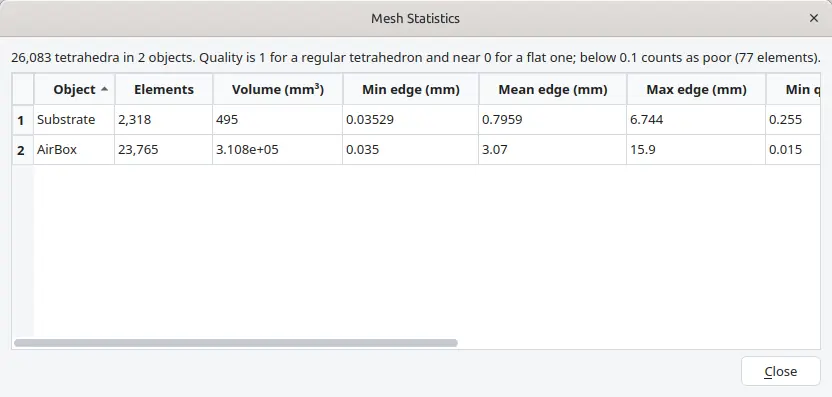
Global mesh density#
Global Mesh (Simulation tab) sets the density for the whole model:
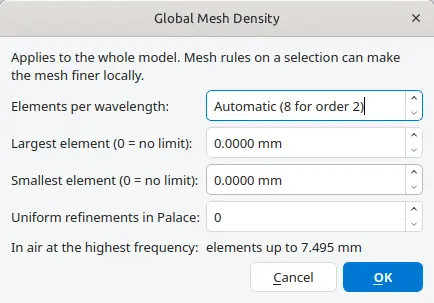
| Setting | Meaning |
|---|---|
| Elements per wavelength | In each material, at the highest frequency. Automatic uses 8 for element order 2 |
| Largest element, Smallest element | Size limits for every solid (0 = no limit) |
| Uniform refinements in Palace | Splits every element this many times in the solver, before any adaptive pass |
The window shows the resulting size in air at the highest frequency.
Mesh rules#
Mesh rules make the mesh finer on a selection. Select faces or objects, then choose a rule from Mesh Rules ▾ or the Mesh menu:
| Rule | Does |
|---|---|
| Max Element Size on Faces... | Caps the edge length of the surface triangles on the faces. Use it where the field changes quickly along a surface, such as a port face or the edges of a trace |
| Max Element Size Inside... | Caps the element size inside the objects. A non-model object used this way is a refinement region |
| Skin Depth Based... | Layers of elements under conductor surfaces, sized by the skin depth (for conductors that are meshed inside) |
| Surface Approximation... | How closely the mesh follows curved faces: the largest deviation and the largest angle between neighbouring element normals |
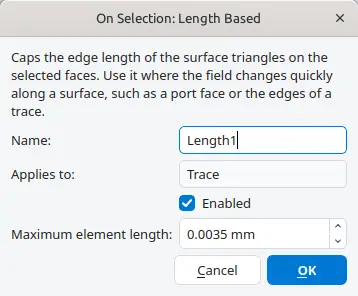
Rules appear under Mesh in the tree; click one to edit it, untick Enabled to switch it off. Rules only ever make the mesh finer. A rule whose object was deleted is skipped with a warning.
Adaptive meshing#
With adaptive meshing on (the setup's Adaptive Meshing tab), the solver:
- solves at the solution frequency (by default the highest frequency of the sweep), plus the bottom of the sweep when it spans 10× or more, and any More adapt frequencies you list,
- estimates the error in every element and refines the worst ones,
- solves again, and compares the S-parameters with the last pass,
- stops once the largest change |ΔS|, over all adapt frequencies, is below Maximum ΔS per pass (0.02 by default) for the set number of passes in a row, or at the pass or size limit. A pass that grew the mesh by less than Minimum mesh growth per pass (50 %) doesn't count, since a mesh that barely changed shows a small ΔS anyway,
- then runs the frequency sweep once on that mesh.
Results › Convergence... shows each pass: the number of unknowns and |ΔS|. See Solver setup for every setting.
Electrically small models
A model much smaller than a wavelength barely changes between early passes even when the mesh is still coarse, so it may stop too soon. Lower the ΔS target (to 0.005, say) or raise Minimum passes.
When nothing that affects the mesh has changed since the last solve (geometry, materials, boundaries, ports, mesh rules, element order, solution frequency, adaptive settings), the next solve reuses the adapted mesh and goes straight to the sweep. Changing only the sweep, or which fields are saved, keeps it. To always refine from scratch, untick Reuse the adapted mesh when the model is unchanged.
Memory#
The solver's memory grows with the number of unknowns: roughly 8–22 kB per unknown depending on the element order, plus a fixed amount per process. Maximum unknowns (Adaptive Meshing tab) stops the refinement before the mesh outgrows this computer's memory; by default it is worked out from the memory installed. A cluster or cloud solve is sized from the mesh instead (see Clusters and Cloud).